One view across machines
Collect aggregate usage from omp, Claude Code, Codex CLI and hermes. Compare activity across the machines and harnesses that report it.
USAGE · NOT PROMPT CONTENTSELF-HOSTED · INVITE-ONLY
AI coding agents work across machines, tools and providers. ompstats brings their usage together—so your team can see what’s happening without reading anyone’s conversations.
Invite-only. No public sign-up.
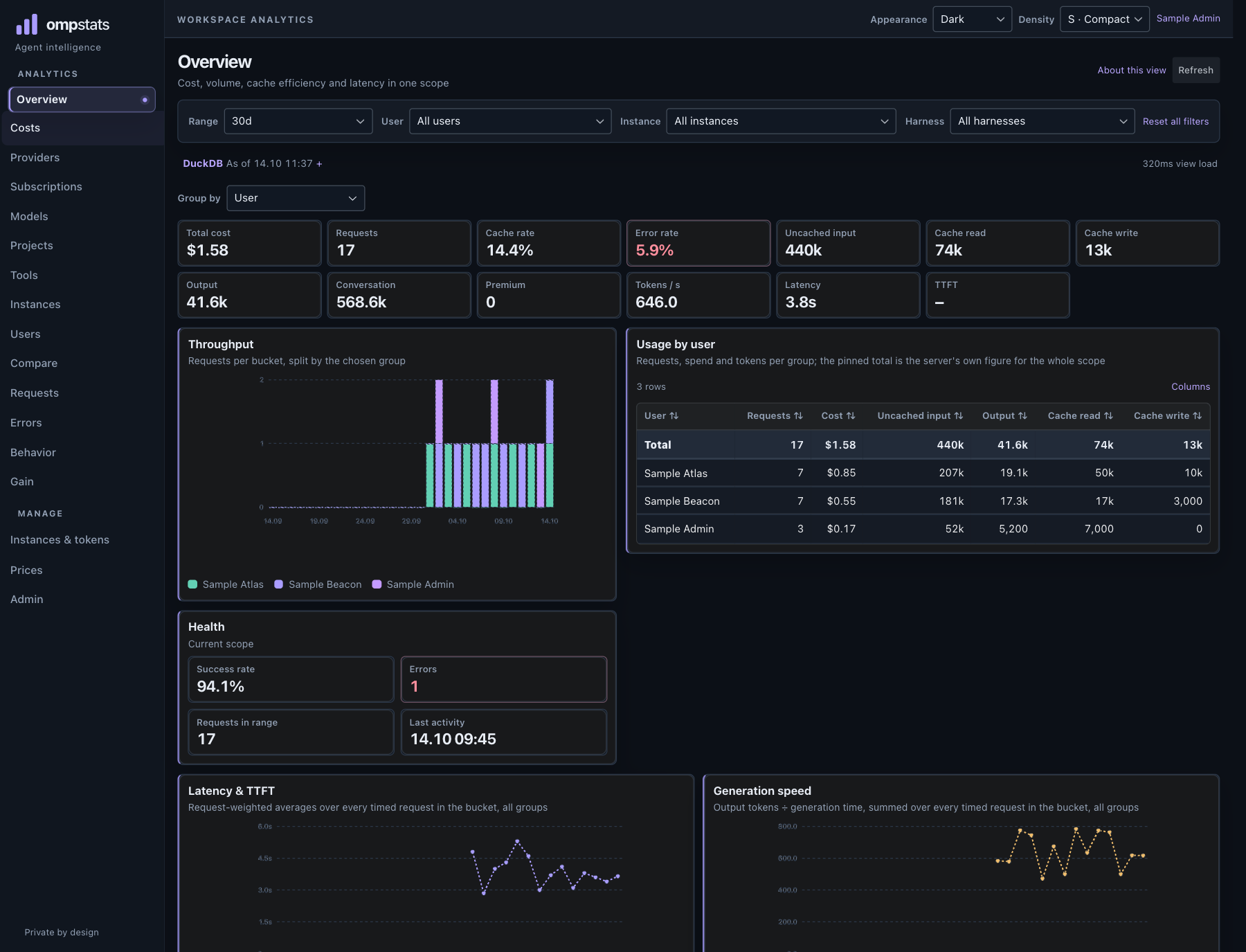
Usage collection and provider quota support are separate; details below.
A SHARED VIEW, NOT ANOTHER AGENT
Bring usage from the coding tools your team already runs into one place. Understand requests, tokens, model mix, cost and machine activity—without uploading prompts.
Collect aggregate usage from omp, Claude Code, Codex CLI and hermes. Compare activity across the machines and harnesses that report it.
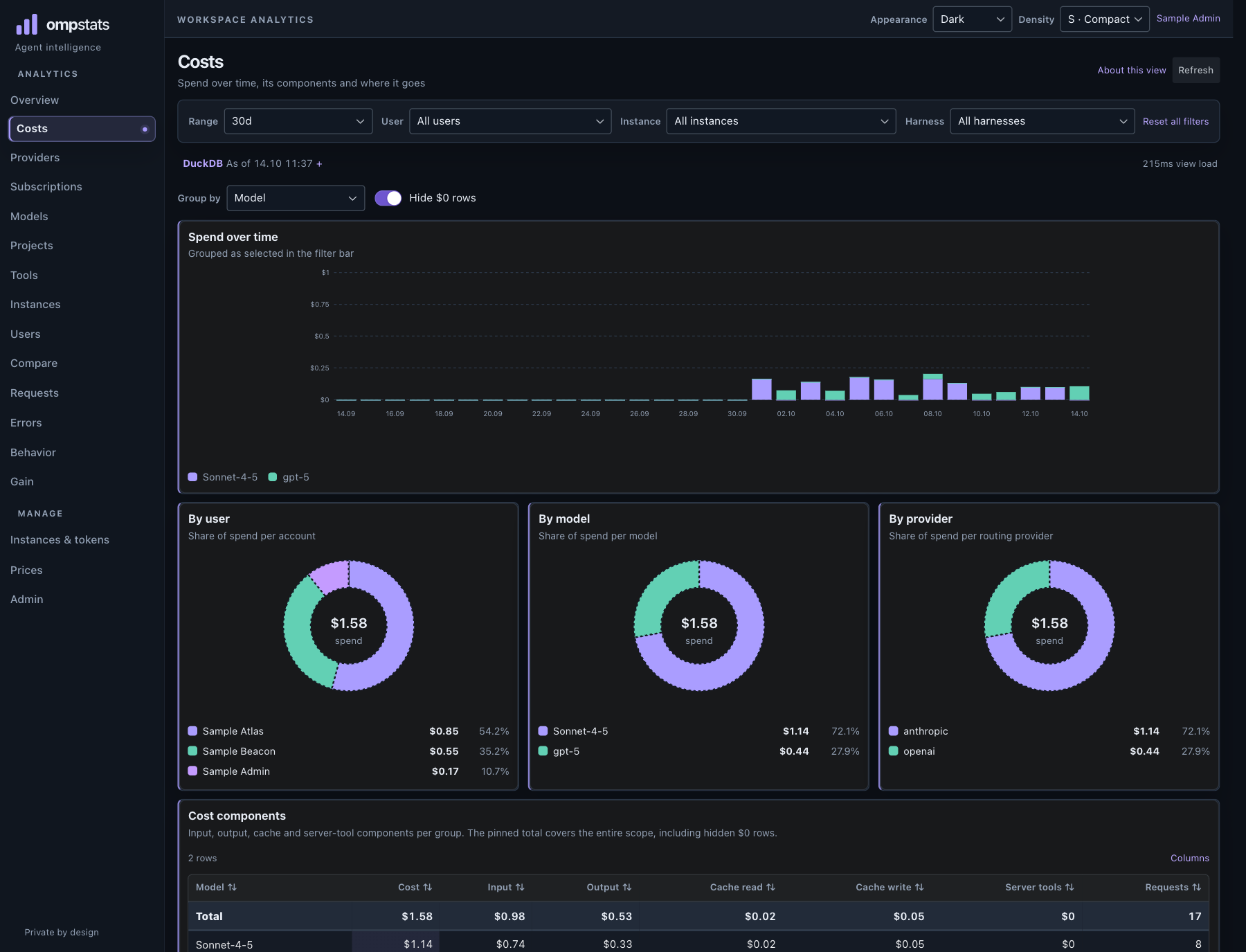
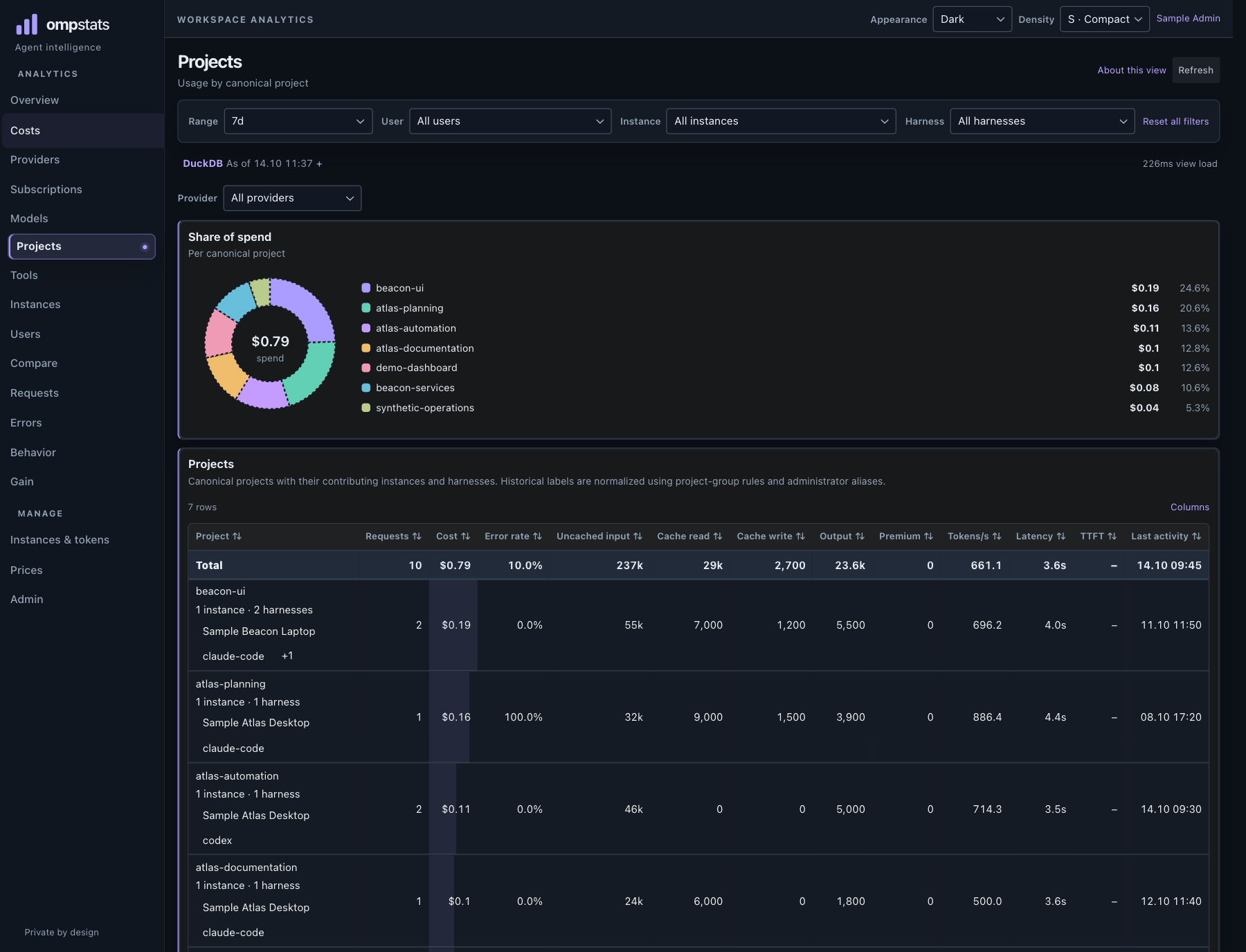
USAGE · NOT PROMPT CONTENTExplore token and request totals with catalog list-value estimates. Reported costs and requests without a known catalog price stay distinct.
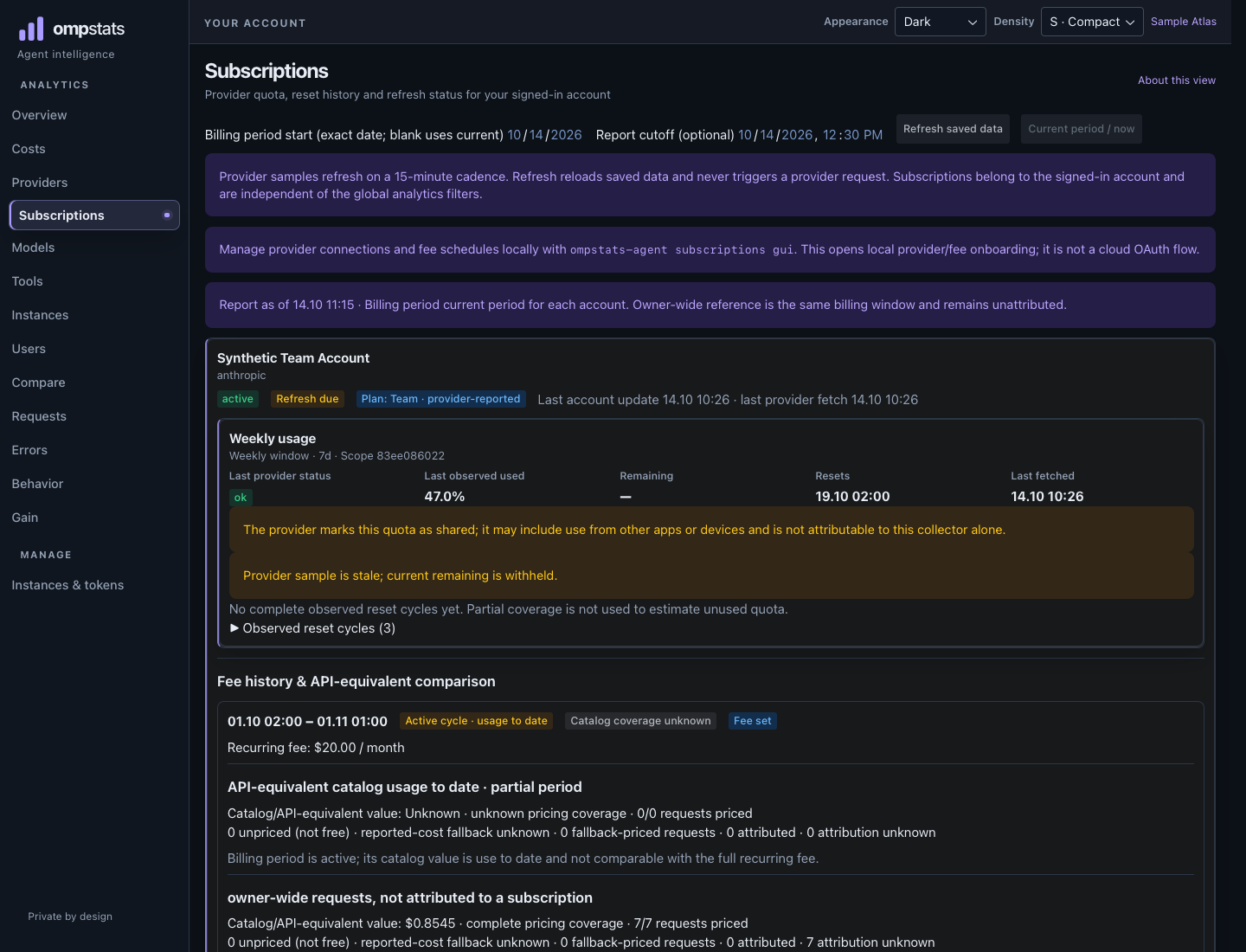
COVERAGE SHOWN HONESTLYRecord provider quota samples with their own windows and reset times. Fresh supported samples can show a bounded linear pace estimate—not a guarantee.
UNKNOWN STAYS UNKNOWNBUILT FOR OPERATIONAL CLARITY
Review trends by model, harness, project, and machine. Compare selected time windows. Shared dashboard access is limited to invited accounts on the same deployment.
Sign in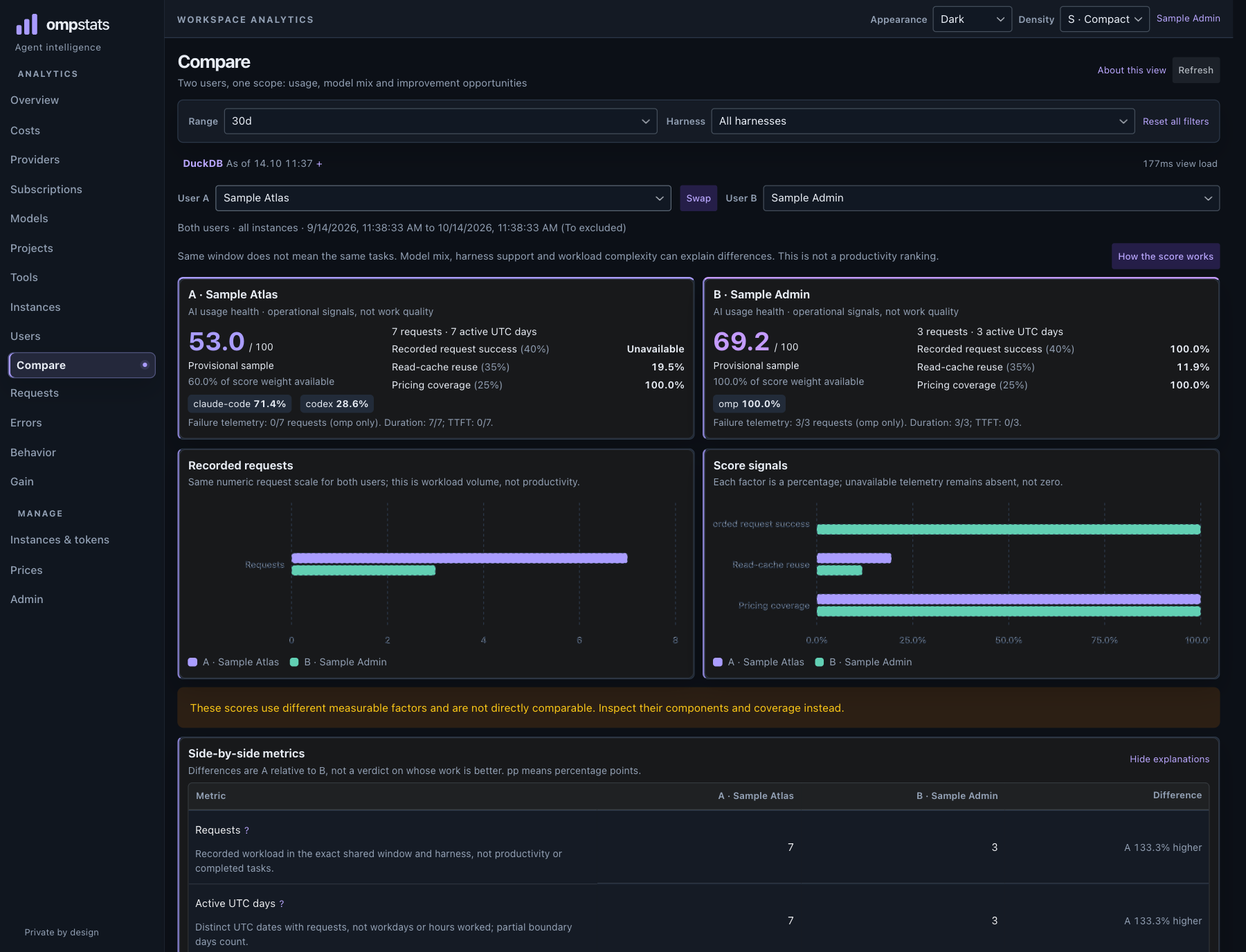
A SMALL, SELF-HOSTED SETUP
Run the service where you choose. Invite teammates, then connect each machine you want to include.
Self-host with Docker on a server you control. The deployment is invite-only and the shared dashboard is tied to that one service.
An administrator invites people by email. There is no anonymous signup, organization or multi-tenant account layer.
Install the collector on each machine and configure supported local usage sources. Subscription sharing and local provider setup are optional and remain local until explicitly enabled.
$ curl -fsSL https://ompstats.com/install.sh | shSUBSCRIPTION QUOTAS
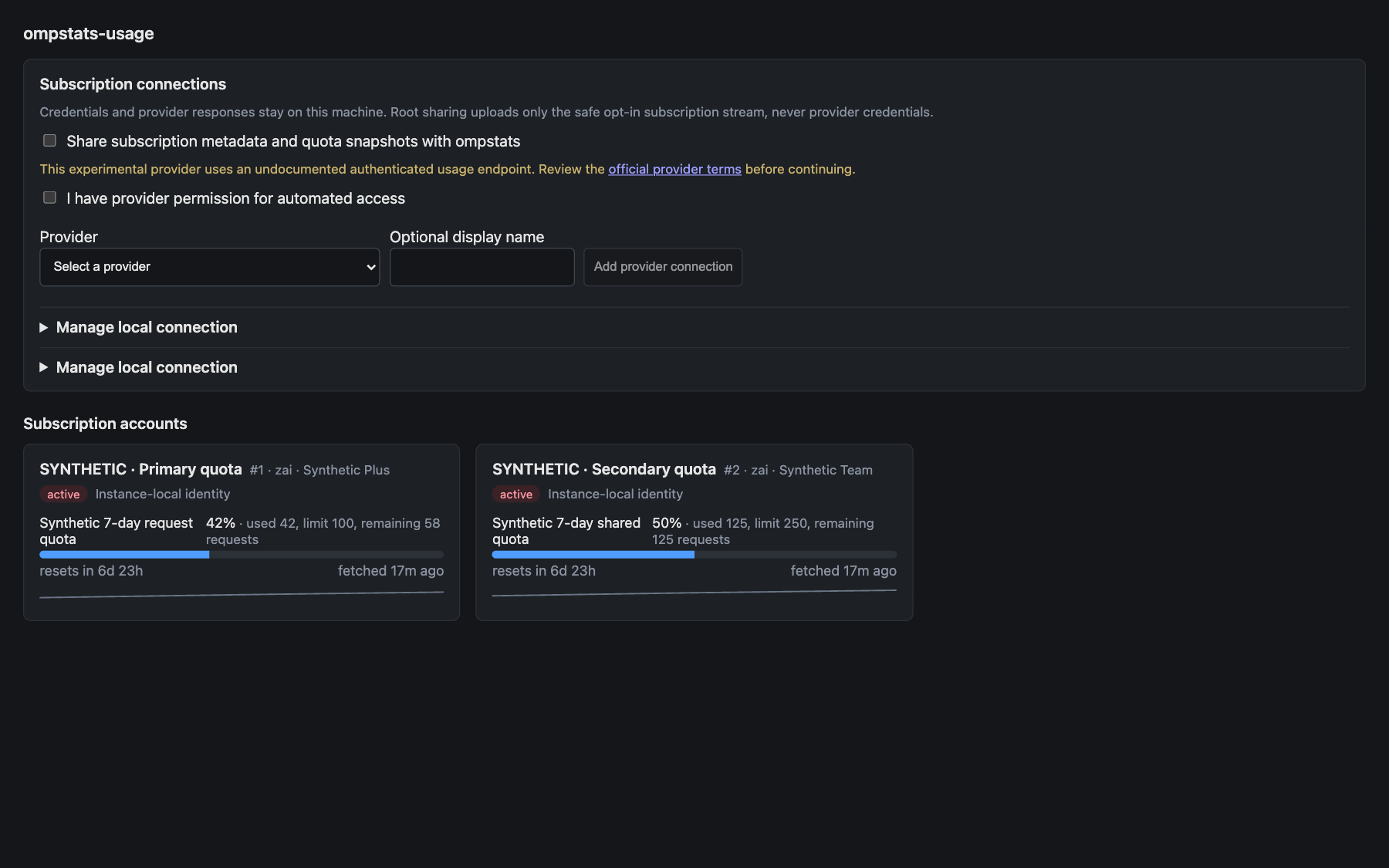
Usage-source support does not imply quota support. The local companion reads quota snapshots only for supported providers; providers expose different units, scopes, and reset rules. Ollama Cloud is experimental. OpenRouter reports credit or budget data, not a subscription fee. Unsupported or unavailable values stay unknown—not zero.
Fresh supported samples can show a limited linear pace estimate, not a guarantee. Compare a fee only with same-window catalog value when currency and coverage support it; reported-cost fallback and unpriced requests remain separate. Some sources cannot reliably identify which provider account produced a request.
A LOOK INSIDE
These captures come from the running dashboard and local companion. All displayed data is synthetic.
PRIVACY IS A BOUNDARY, NOT A BADGE
Self-hosting gives you control over the service. It does not make every data path private by magic—know what the collector sends and keep provider credentials on the machine.
Optional local provider OAuth/API credentials are stored in the companion’s SQLite database on the machine, as plaintext protected by filesystem permissions. They are not uploaded to the ompstats server.
LOCAL COMPANION · NOT CLOUD-SYNCEDThe collector sends usage metrics and coarse labels. Depending on local privacy settings, it may also send per-tool-call rows and derived per-turn signals—never conversation text. You can withhold those streams. Subscription sharing is separately opt-in; provider credentials stay on the machine.
YOU CONTROL WHICH MACHINES REPORTRequest-to-account attribution is not guaranteed. Some sources do not expose a reliable identity mapping; ambiguous or unavailable attribution remains unknown. Never treat an absent value as zero.
SELF-HOSTED · INVITE-ONLY
Already invited? Sign in. Interested in trying it? Ask the administrator of your ompstats server for an invitation.